

 Before
 After
After2×2 INCH PHOTO
2x2 Inch Photo Maker — Exact 2x2 Picture Size
2x2 inch photo = 5.08×5.08 cm = 50.8×50.8 mm = 600×600 pixels at 300 DPI. See the full conversion table and make a 2x2 photo with a white background online.
Drag & drop or click to upload
JPG, PNG or WEBP
SIZE CONVERSION
2×2 inch in cm, mm & pixels
| Unit | Width | Height |
|---|---|---|
| Inches | 2 | 2 |
| Centimeters (cm) | 5.08 | 5.08 |
| Millimeters (mm) | 50.8 | 50.8 |
Pixel dimensions by DPI
The pixel size of a 2×2 inch photo depends on the resolution (DPI). 300 DPI is the standard for passport and ID photos.
| DPI | Width (px) | Height (px) |
|---|---|---|
| 96 | 192 | 192 |
| 150 | 300 | 300 |
| 300STANDARD | 600 | 600 |
| 350 | 700 | 700 |
| 600 | 1200 | 1200 |
Philippine IDs that use a 2x2 photo — and the ones that don't
| Document | Photo size | Note |
|---|---|---|
| NBI clearance (issued 2014+) | 2x2 inch, white background | Taken within the past 3 months, glasses off, no smiling; overseas consulate applicants usually submit two copies |
| PRC board exam registration | 2x2 inch, plain white background | A collared top is typically required in the shot |
| UMID (SSS/GSIS/PhilHealth/Pag-IBIG) | 2x2 inch | Covers four government programs in one card |
| Standalone SSS registration | 1x1 or 2x2 inch | Either size is accepted — the only document on this list with a choice |
| Standalone PhilHealth ID | 1x1 inch only | Not 2x2 — a common mix-up that gets applicants turned away at the window |
| Philippine passport (DFA) | 35x45mm | A different rectangular size entirely, not 2x2 — see the 35x45mm photo page |
| Postal ID | 1x1 inch | Smaller than the 2x2 used for NBI and UMID; check the current PHLPost form before printing |
| Voter's registration (COMELEC) | 2x2 inch, white background | Captured on-site at most registration centers, though a printed backup is sometimes requested |
| Barangay clearance (select LGUs) | 1x1 or 2x2 inch, varies by city hall | Requirements differ by local government unit — confirm with the specific barangay office before printing |
| Driver's license (LTO) | 2x2 inch on some forms; captured on-site at most branches | Increasingly replaced by an on-site digital capture, so a printed photo is not always needed |
WHO USES THIS SIZE
Documents that require a 2×2 inch photo
HOW IT WORKS
Three steps to a 2×2 inch photo
Upload a photo
Any recent, front-facing photo works — the tool handles the background and framing for you.
AI crops to exact size
Background is replaced with white and the crop is adjusted to the exact 2×2 inch frame, without altering your face.
Download print-ready file
Your 2×2 inch photo is saved at 300 DPI, ready to print or upload for any application that requires this size.
Skip the studio trip — get a 2x2 file sized exactly right
Upload a recent photo above and download a 600x600px, 300 DPI file ready for NBI, PRC, UMID, or a US passport application.
SEE IT WORKING
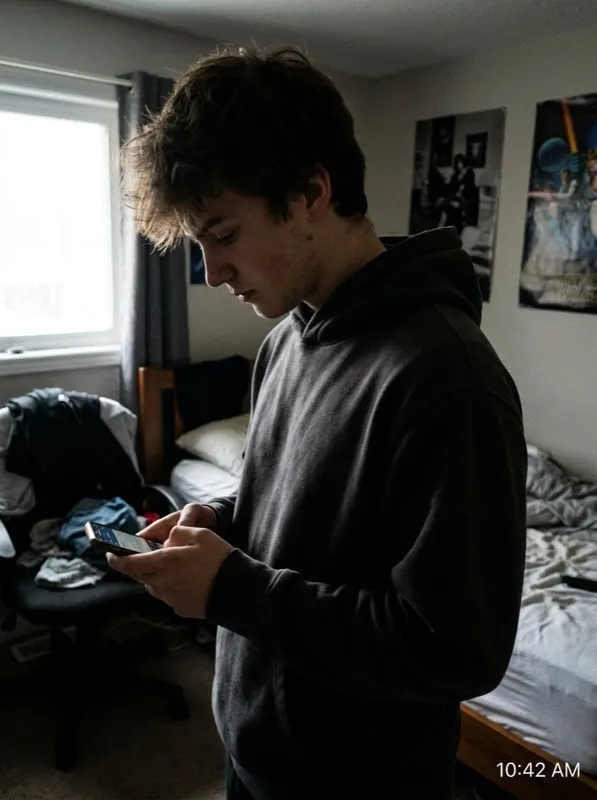
Real editing, fictional people
These examples use AI-generated, fictional people so we never publish anyone's real photo — the editing shown is exactly what the tool does to your own upload.
 Before
 After
AfterPRINTING AT HOME
Fitting 2x2 photos onto a 4x6 sheet without a studio
A standard 4x6 inch photo sheet — sold at every pharmacy and drugstore — comfortably fits four 2x2 photos in a simple 2-by-2 grid with room to trim, and some printing templates squeeze in six by tightening the margins, worth doing if more than one document needs a copy. Export the photo at 300 DPI so it lands at exactly 600x600 pixels before arranging copies on the 4x6 canvas in any free photo editor or word processor; most drugstore kiosks also accept a 4x6 upload directly and cut the sheet at pickup, and a handful of chains offer same-day pickup within the hour rather than the next-day turnaround common at smaller studios.
Cost is the main reason people print at home instead of visiting a studio: a studio-taken 2x2 set typically runs $8-15, while the same layout printed yourself at a retail kiosk costs roughly $0.25-0.50 in total. The tradeoff is that a studio checks compliance for you and hands you a print on the spot, while a home print puts that compliance check on you — which is exactly what an online 2x2 photo size checker is for. If you need extras for more than one document in the same week, print a full 4x6 sheet once rather than paying per-visit studio fees at each government office.
2x2 photo do's and don'ts
Do
- Confirm the exact document before printing — NBI and UMID want 2x2, PhilHealth wants 1x1, the Philippine passport wants 35x45mm
- Export at 300 DPI so the file lands at exactly 600x600 pixels
- Use a plain white background with no shadows
- Keep the photo dated within the timeframe your specific document requires (commonly the last 3-6 months)
- Print a full 4x6 sheet of copies at once if more than one document needs the same size this week
- Check whether your local branch has switched to on-site digital capture before printing a photo it no longer needs
Don't
- Assume every Philippine ID uses the same photo size — three common sizes (1x1, 2x2, 35x45mm) are all in circulation
- Apply filters, AI beautification, or skin smoothing — US authorities have flagged AI-touched photos since January 2026
- Crop an existing 35x45mm passport photo down to a 2x2 square — the head-height ratio breaks in the process
- Submit a photo-booth strip cropped down to size instead of a properly composed 2x2 shot
- Reuse a 1x1 PhilHealth-sized photo for a 2x2 requirement just because both look small on screen
- Assume a barangay clearance follows the same size rule everywhere — check with the specific local government unit first
FAQ