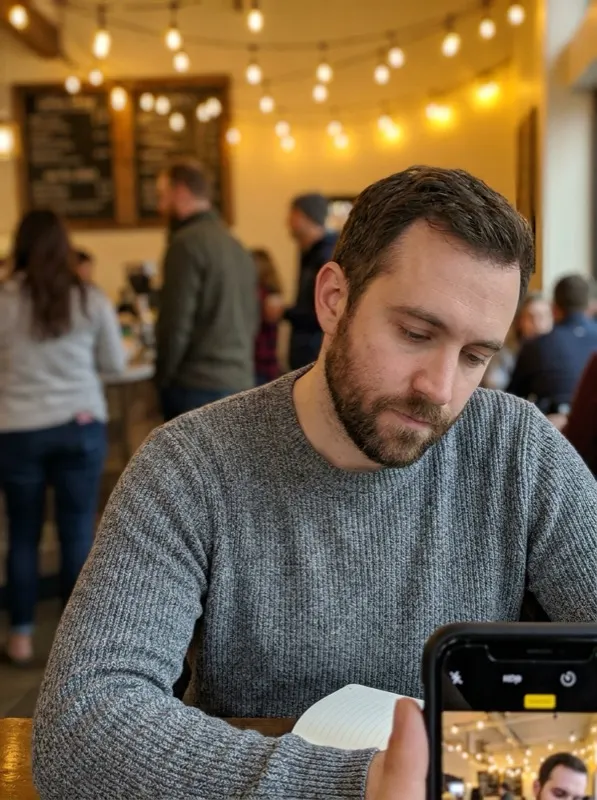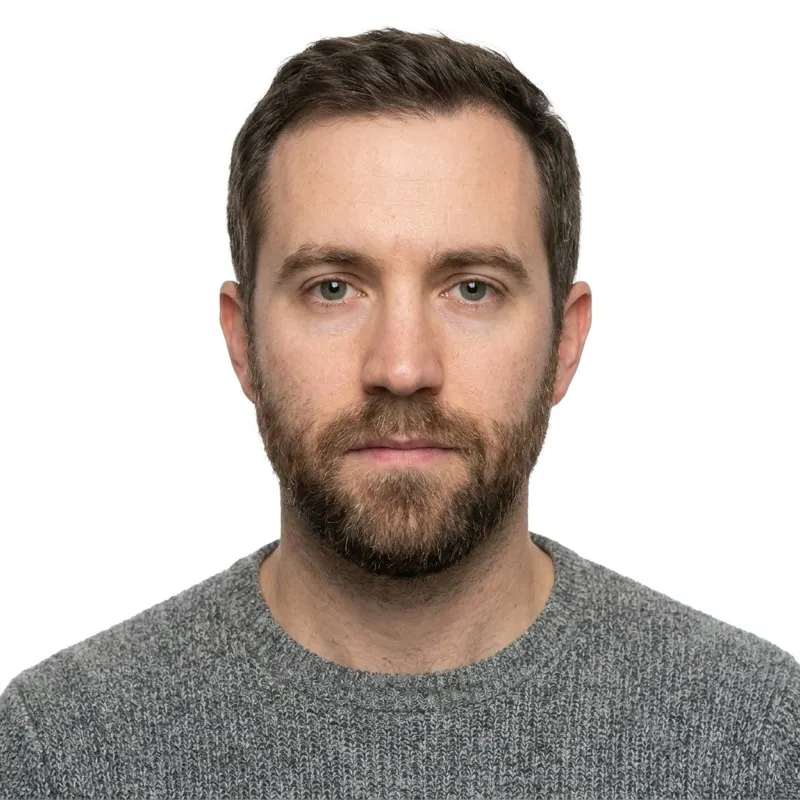
Fictional woman in a cluttered indoor room, uneven lighting, casual selfieBefore
ChatGPT passport photo prompt result: plain white background, even lighting, passport-style cropAfter

PROMPT LIBRARY · UPDATED 2026

ChatGPT Passport Photo Prompt (Copy & Paste, 2026)

Five ready-to-use ChatGPT passport photo prompts for turning a regular photo into a passport-style photo. Upload your photo to ChatGPT first, then copy the prompt that matches your situation.

Copy-paste ChatGPT passport photo prompts

Pick the passport photo prompt for ChatGPT that matches your source photo, then copy it and paste it right after you upload your picture.

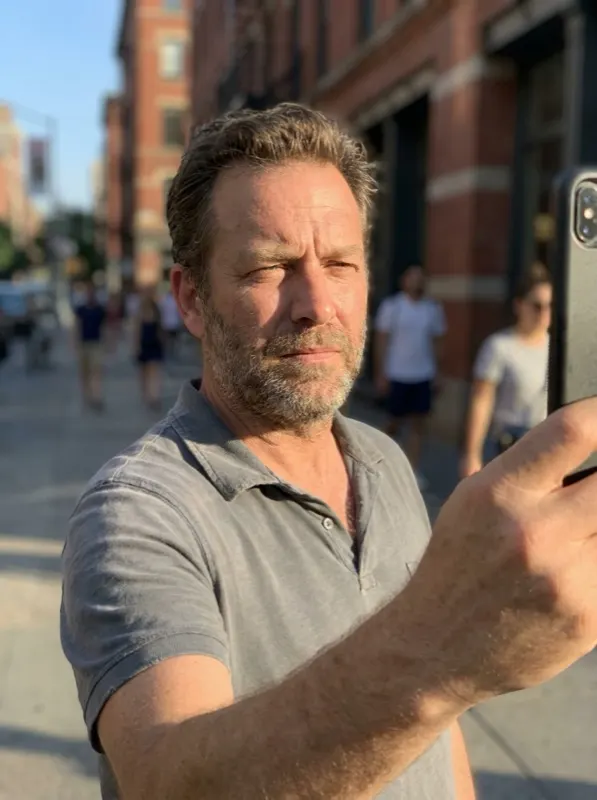
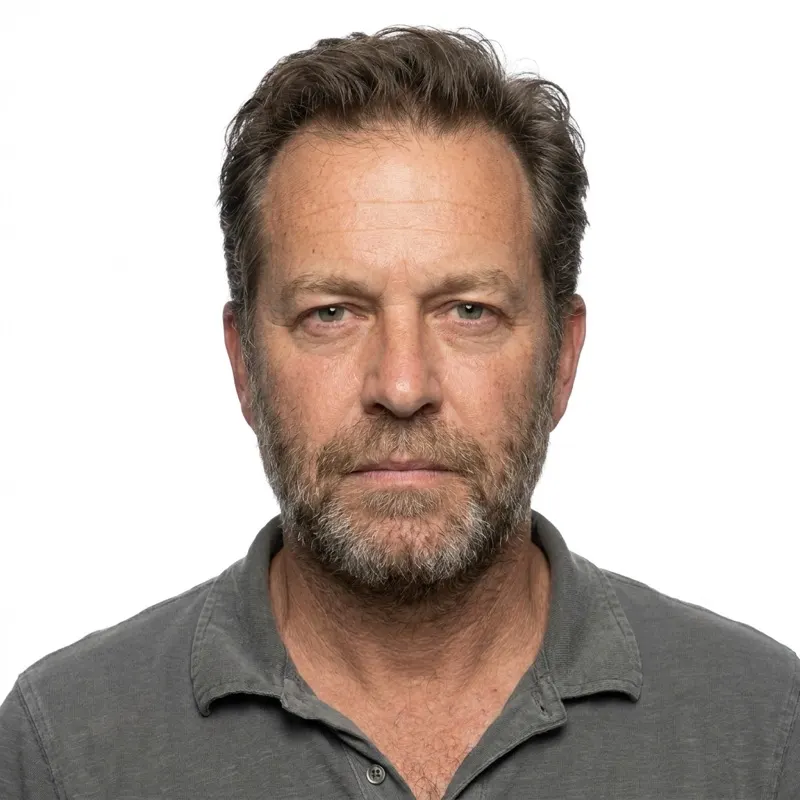
Fictional man outdoors in harsh sunlight with strong shadows, casual selfieBefore
ChatGPT passport photo prompt result: plain white background, even lighting, passport-style cropAfter

General-purpose ChatGPT passport photo prompt

Upload a normal photo of yourself to ChatGPT first, then paste this prompt.

Using the photo I just uploaded, edit it into a passport-style photo. Replace the background with a plain, evenly lit white background with no shadows, gradients, or texture. Do not change my facial features, skin tone, hairstyle, or expression in any way — do not smooth my skin, resize my eyes, whiten my teeth, or apply any beautification. Keep my face exactly as it appears in the original photo. Crop the image head-and-shoulders style, facing forward, with my head centered and taking up roughly 60-70% of the frame height. Lighting on my face should be even, with no harsh shadows on either side or under the chin. Neutral expression, mouth closed, eyes open, looking directly at the camera. Output as a square image suitable for a 2x2 inch (600x600 px, 300 DPI) passport photo.
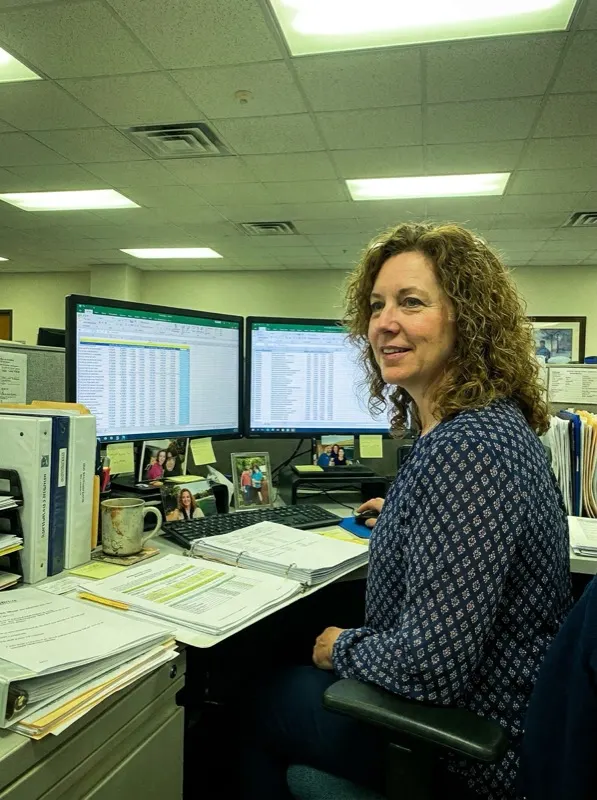
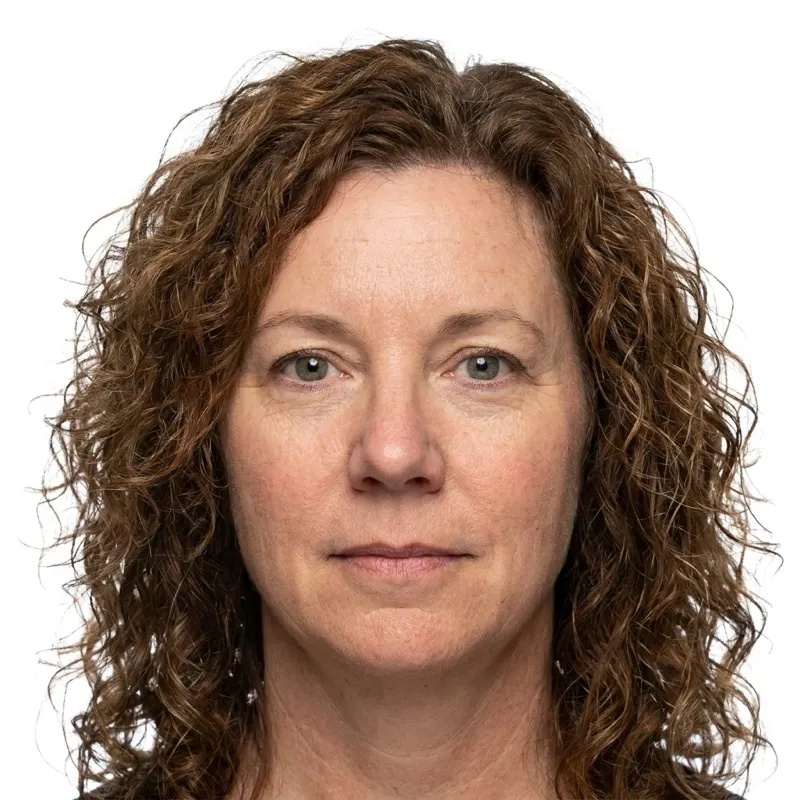
Fictional person at a cluttered office desk with papers and a monitor in the background, casual selfieBefore
ChatGPT passport size photo prompt result: plain white background, even lighting, passport-style cropAfter

Background & framing cleanup prompt

A ChatGPT passport size photo prompt for cleaning up the background and crop on an uploaded selfie.

Take this photo of me and turn it into an official passport photo. Requirements: solid white background with completely even lighting, no shadows, no color cast; do not alter my facial features, expression, skin, or identity — only adjust the background, lighting, and framing; keep the pose front-facing, looking straight at the camera; neutral expression with mouth closed; crop to head-and-shoulders so my head fills about 70-80% of the frame vertically, with even margin on both sides; remove any background objects, other people, or shadows behind me. Output a high-resolution square image, no filters or stylization applied.

Fictional person sitting in a coffee shop with a blurred background, casual photoBefore
Passport photo prompt for ChatGPT result: plain white background, even lighting, passport-style cropAfter

The safe default ChatGPT prompt

A safe default passport photo prompt for ChatGPT when you just want a reliable, no-surprises result.

Edit the uploaded photo to meet standard passport photo requirements. Keep my face, expression, skin tone, and hairstyle completely unchanged — only edit the background and framing, never the person. Background: plain white or light gray, no shadows, no gradient. Framing: front-facing, head and shoulders only, head centered and taking up most of the frame, eyes level and roughly two-thirds up from the bottom edge. Lighting: even and shadow-free across the whole face. Expression: neutral, mouth closed, both eyes open, no glasses glare. Do not add any filters, beautification, or artistic effects. Output as a square, high-resolution image.

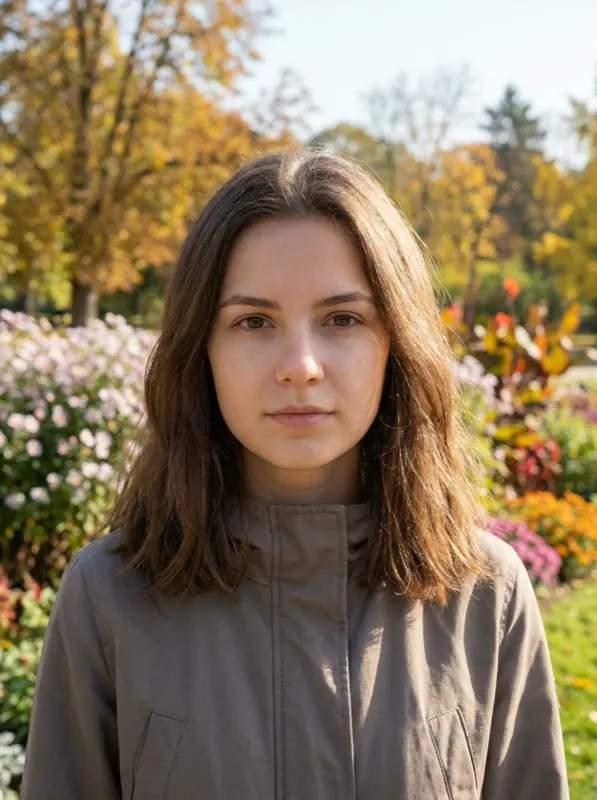
Fictional person facing forward outdoors in a park, well-framed but with a green backgroundBefore
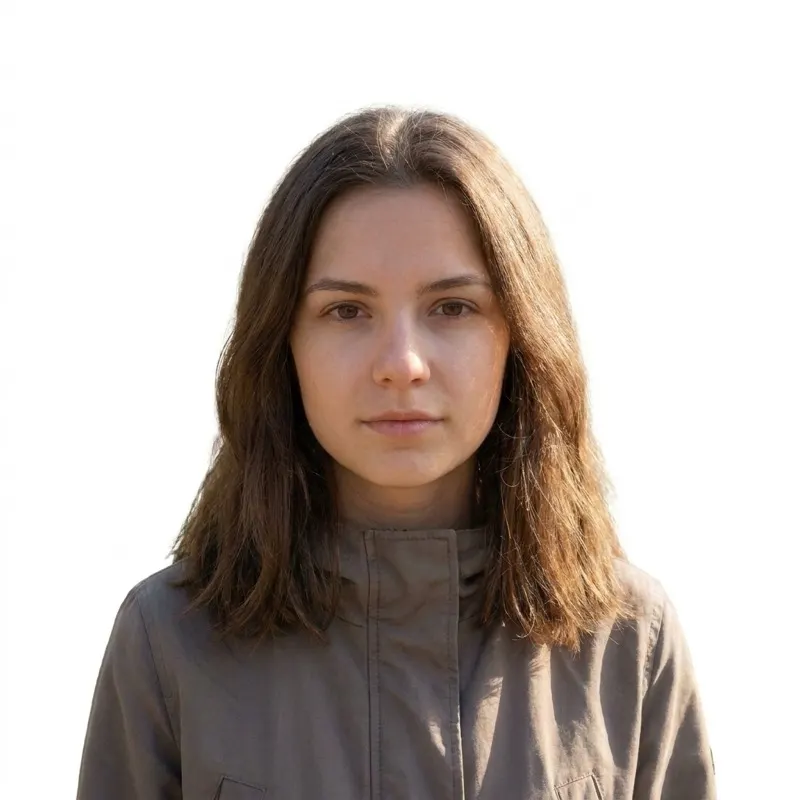
ChatGPT prompt for passport photo result: background swapped to pure white, framing and face unchangedAfter

Strict white-background prompt

Use this ChatGPT prompt for passport photo edits when your existing photo is already well-framed and you only need the background fixed.

Replace only the background of this photo with a pure white (#FFFFFF) background, blending the edges around my hair naturally so there is no visible cutout line or halo. Keep everything else about my face, expression, clothing, and lighting exactly as it is in the original photo — do not retouch, smooth, or beautify my face in any way. The result should look like a real, unedited photograph except for the background. Keep the original framing and resolution as close to the source photo as possible.

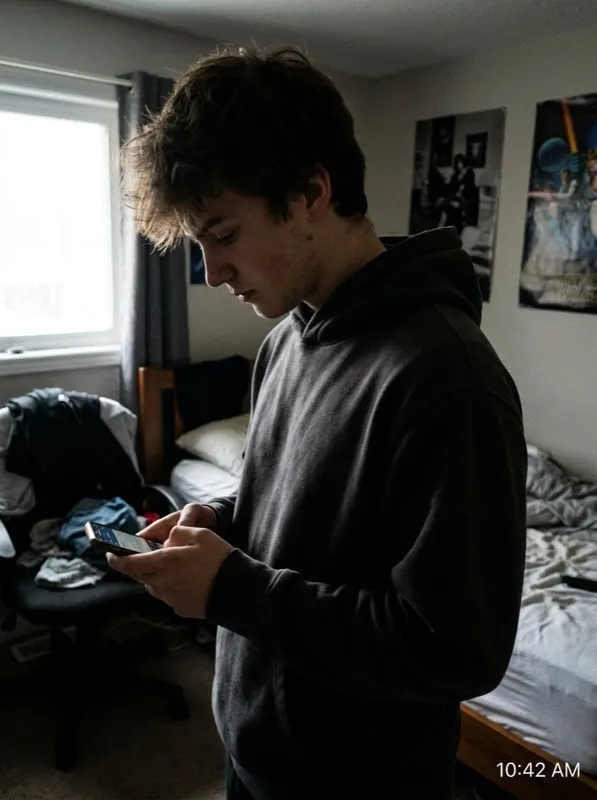
Fictional person wearing a casual hoodie at homeBefore
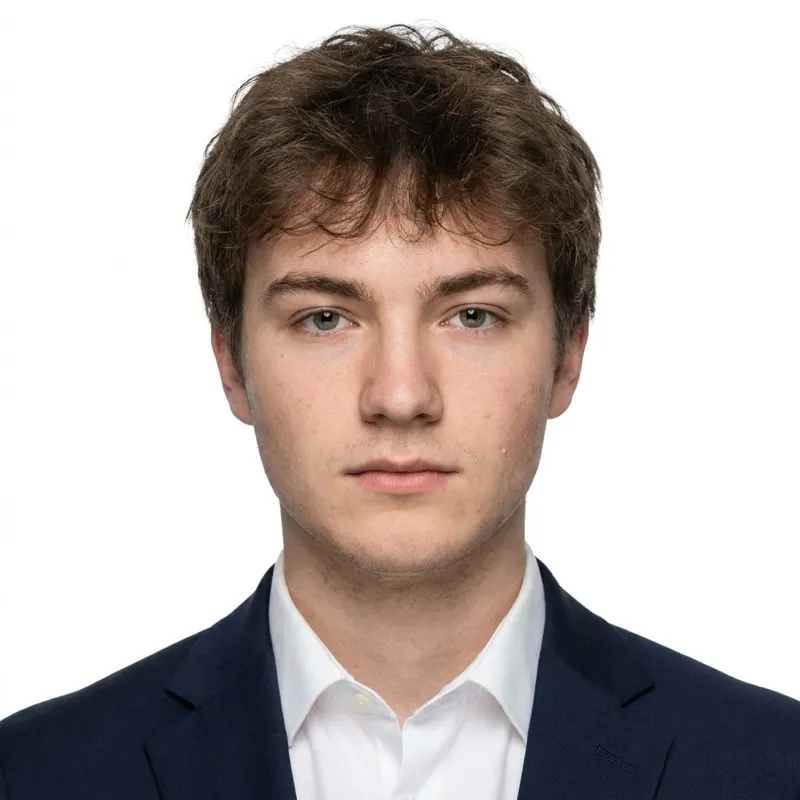
ChatGPT passport photo prompt result: dark suit jacket and white shirt added, plain white backgroundAfter

Add business attire without touching your face

Useful if your only available photo is in casual clothing.

Edit this photo so that I am wearing formal, professional attire appropriate for an official document photo — for example a dark-colored suit jacket over a collared shirt or blouse — in place of my current clothing. The new clothing should look natural, fit proportionally at the shoulders and neckline, and match realistic fabric texture and lighting. Do not change my face, hairstyle, skin tone, or expression in any way. Keep the background plain white or light gray with even lighting. Neutral expression, mouth closed, looking directly at the camera. Crop as a standard head-and-shoulders passport photo.

THE PART MOST PROMPT LISTS SKIP

Why a ChatGPT passport photo prompt still gets rejected

A good ChatGPT prompt for passport photo edits gets you a photo that looks right on screen. Passport offices check against a much stricter set of technical and legal rules, and a chat-based image tool has no way to verify any of them.

Regenerating a face can count as fraud

If the AI generates a new face rather than editing your real photo, several countries treat that as a falsified or fraudulent document photo — not a formatting issue, a legal one.

Wrong pixel dimensions and DPI

Passport photos have exact specs (e.g. 600x600 px at 300 DPI for a US 2x2 in photo). Chat tools export whatever resolution the model feels like, almost never the required one.

Background is not actually uniform

"White background" prompts often produce a background that is slightly gray, has a gradient, or shows compression artifacts around the hairline — all of which fail automated and human review.

Lighting and shadow artifacts

AI-relit faces frequently show a soft shadow under the chin or on one side, or look artificially smoothed — both are common rejection reasons even when the photo looks fine at a glance.

Head size and position are off

Every country defines head-height-to-frame ratio and eye-line position differently. A prompt cannot know your target country’s exact numbers, so cropping is frequently wrong.

No print-ready, compliant file

Even a visually good result from a chat export is usually a compressed, screen-resolution image — not a print-ready file at the correct physical size and DPI a photo kiosk or office expects.

THE FIX

Same AI editing. Actually checked against the rules.

Faceroom uses the same kind of AI image editing behind these prompts — clean background, even lighting, formal attire — but every result is measured against the official specification for your document: exact pixel size and DPI, head-height ratio, eye-line position, and background uniformity. You get the convenience of a prompt with the accountability of a compliance check.

What gets checked

  • Exact pixel dimensions and DPI for your target country
  • Head height and eye-line position within the required range
  • Background uniformity and shadow detection
  • Face left unaltered — no synthetic identity changes

MORE PROMPT VARIANTS

More ChatGPT prompts for passport photo edge cases

Fictional baby lying on a blanket, photographed from aboveBefore
ChatGPT passport photo prompt result: plain white background, head-and-shoulders passport-style cropAfter

Baby passport photo prompt

For a photo of a baby lying on a plain sheet or blanket.

This is a photo of my baby. Edit it into a passport-style photo: crop to show only the baby's head and shoulders (or head only if it already fills the frame), replace the background with solid plain white, and remove any hands, toys, pacifiers, or other people from the frame. Keep the baby's face, skin, and expression exactly as photographed — no beautification or retouching of facial features. The baby's eyes may be open or closed and the expression may be neutral, since guidelines for infants typically do not require an open-eyed, unsmiling look the way adult photos do. Lighting should be even across the face with no shadows.

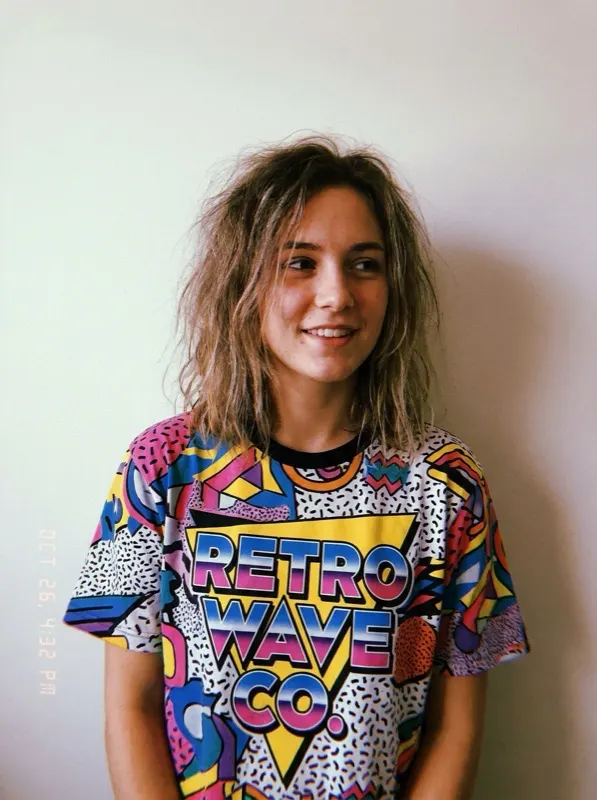
Fictional person wearing a brightly patterned t-shirtBefore
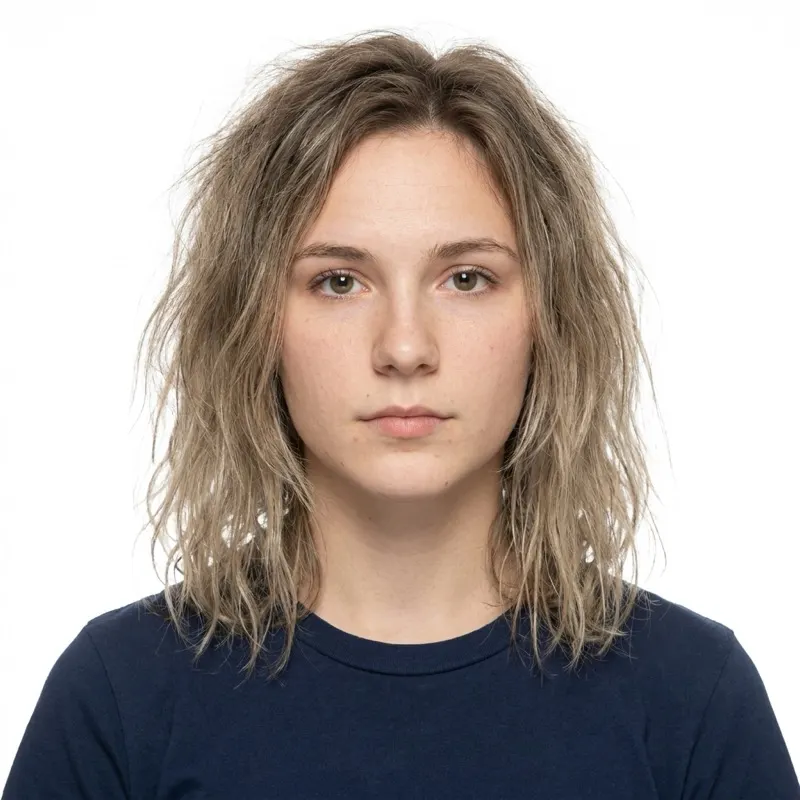
Same fictional person after AI editing: patterned t-shirt replaced with a plain navy topAfter

Neutral clothing prompt

For fixing distracting logos, patterns, or bright colors in your outfit.

Edit this photo so my clothing appears as a plain, solid-colored top (dark gray or navy) instead of the current patterned or logoed clothing, while keeping the same collar style and fit. Do not change my face, hairstyle, skin tone, or expression. Keep the background and lighting exactly as they are. The edited clothing should look natural and realistic, not painted on.

Glasses / glare cleanup prompt

Only remove glare — most countries no longer allow glasses in passport photos at all.

Edit this photo to remove glare and reflections from my glasses lenses so my eyes are clearly visible, without changing the shape, color, or position of the glasses frames, and without altering my face in any way. Keep the background, lighting, and framing exactly as they are. If removing the glare is not possible without distorting my eyes, do not attempt it — leave the rest of the photo unchanged. (Note: most passport programs now require photos without glasses at all — check your country's current rule before submitting.)

FAQ

Common questions about the ChatGPT passport photo prompt