

 Before
 After
AfterPassport Photo Maker
Upload a photo, pick a country's spec, and faceroom turns it into a compliant passport photo with a white background and the right size.
Drag & drop or click to upload
JPG, PNG or WEBP
This tool gives you a strong starting point, not an official guarantee — always double-check against your country's latest requirements before submitting.
HOW IT WORKS
Three steps, no photo studio needed
Upload a photo
Any recent photo of your face works — a selfie on a plain-ish background gives the cleanest result, but the AI can clean up busier backgrounds too.
AI does the editing
The background is replaced with a solid, evenly lit color and the framing is adjusted to your chosen country and document type — your face is never regenerated.
Check compliance and download
Your result is measured against the official pixel size, DPI, and head-height ratio for your document, so you know before you print or upload it whether it will pass.
SPEC QUICK REFERENCE
Passport and ID photo sizes at a glance
Every preset in the tool above is built from these official specifications. Pick the matching document and the tool handles the pixel math for you.
| Country / document | Size (mm) | Pixels @ 300 DPI | Background |
|---|---|---|---|
| United States Passport | 50.8 x 50.8 mm | 600 x 600 px | #FFFFFF |
| India Passport | 35 x 45 mm | 630 x 810 px | #FFFFFF |
| Generic ID Photo | 35 x 45 mm | 413 x 531 px | #FFFFFF |
| Canada Passport | 50 x 70 mm | 591 x 827 px | #FFFFFF |
| United Kingdom Passport | 35 x 45 mm | 413 x 531 px | #EDEDED |
| Australia Passport | 35 x 45 mm | 413 x 531 px | #F0F0F0 |
| Singapore Passport | 35 x 45 mm | 413 x 531 px | #FFFFFF |
| Schengen Area Visa | 35 x 45 mm | 413 x 531 px | #F0F0F0 |
| Malaysia Passport | 35 x 50 mm | 413 x 591 px | #FFFFFF |
SEE IT WORKING
The AI editing can go beyond the background, too
This example uses an AI-generated, fictional person so we never publish anyone's real photo — but the editing shown (attire change, without touching the face) is exactly what the tool does to your own upload.
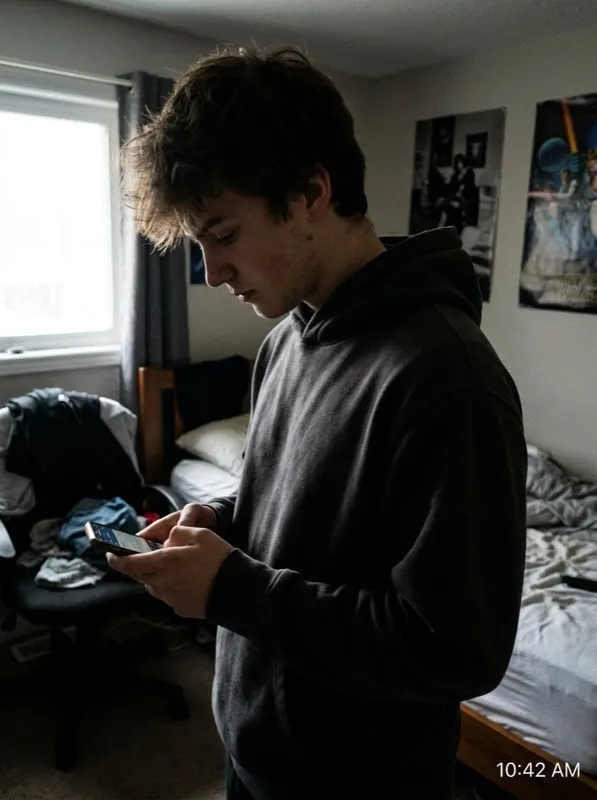 Before
 After
AfterAVOID THE RESUBMIT
Why photos get rejected
- Background is off-white, has a gradient, or shows shadows from indoor lighting.
- The photo is the wrong pixel size or DPI for the specific document being applied for.
- Head size or eye-line position falls outside the required ratio for that country.
- Glasses glare, a slight smile, or a tilted head — small things that automated review still flags.
- A photo edited entirely from a text prompt with no real source photo, which some offices treat as fabricated rather than just non-compliant.
BY COUNTRY
Country-specific requirements and rules
Every country has its own size, background, and expression rules. Pick your country for the full requirement table and a tool preloaded with the right spec.
FAQ